
zappzy Support Center > Content > Media Library > New Design: Create fresh, on-brand designs with Adobe Express—without switching context

Video or step-by-step guide with screenshots. Your choice. We’ll guide you through.
Step-by-step guide
Once you're logged in to zappzy, you'll see the Content section. Click on Media Library below.
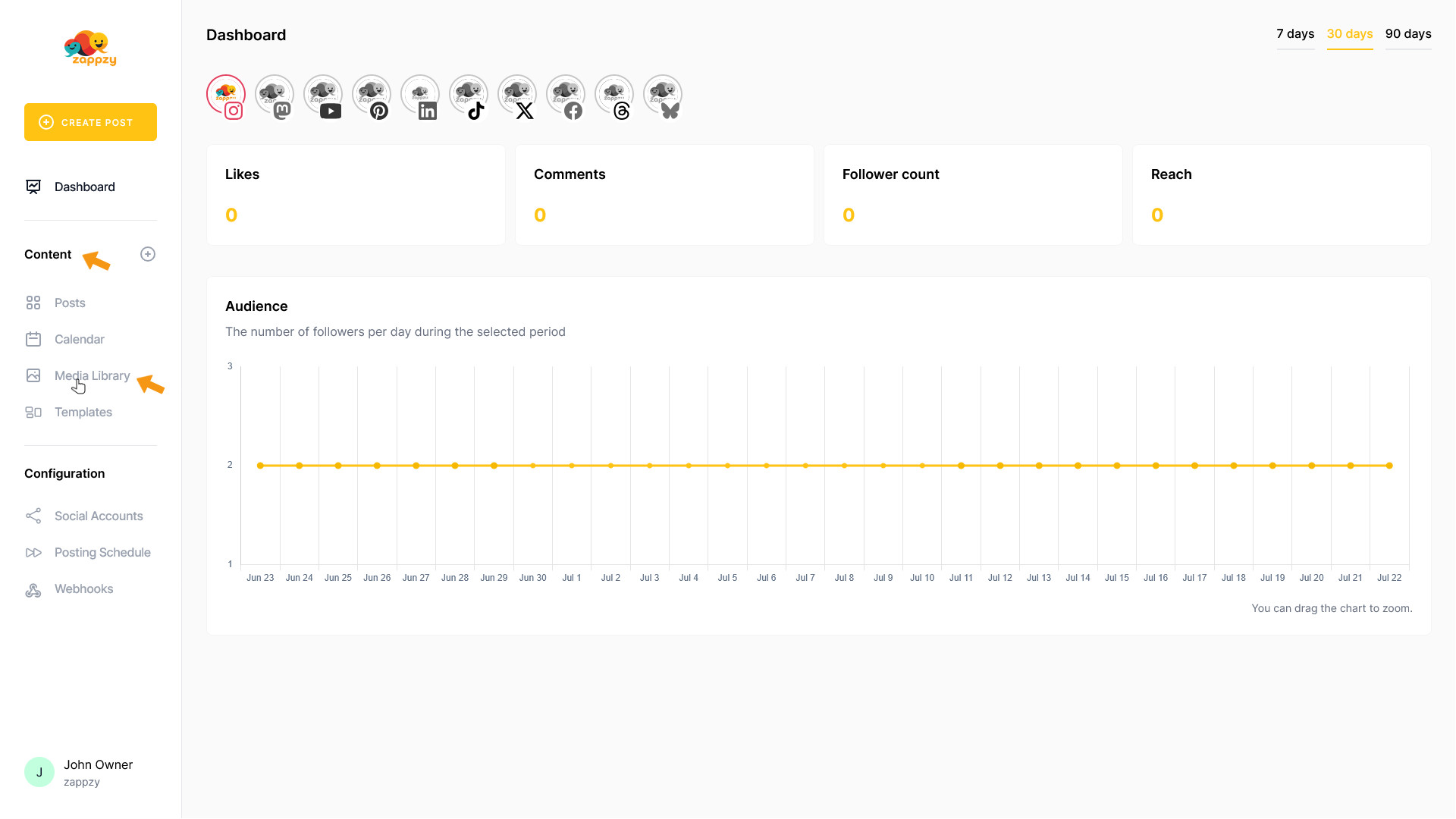
The Media Library overview will appear on your main screen.
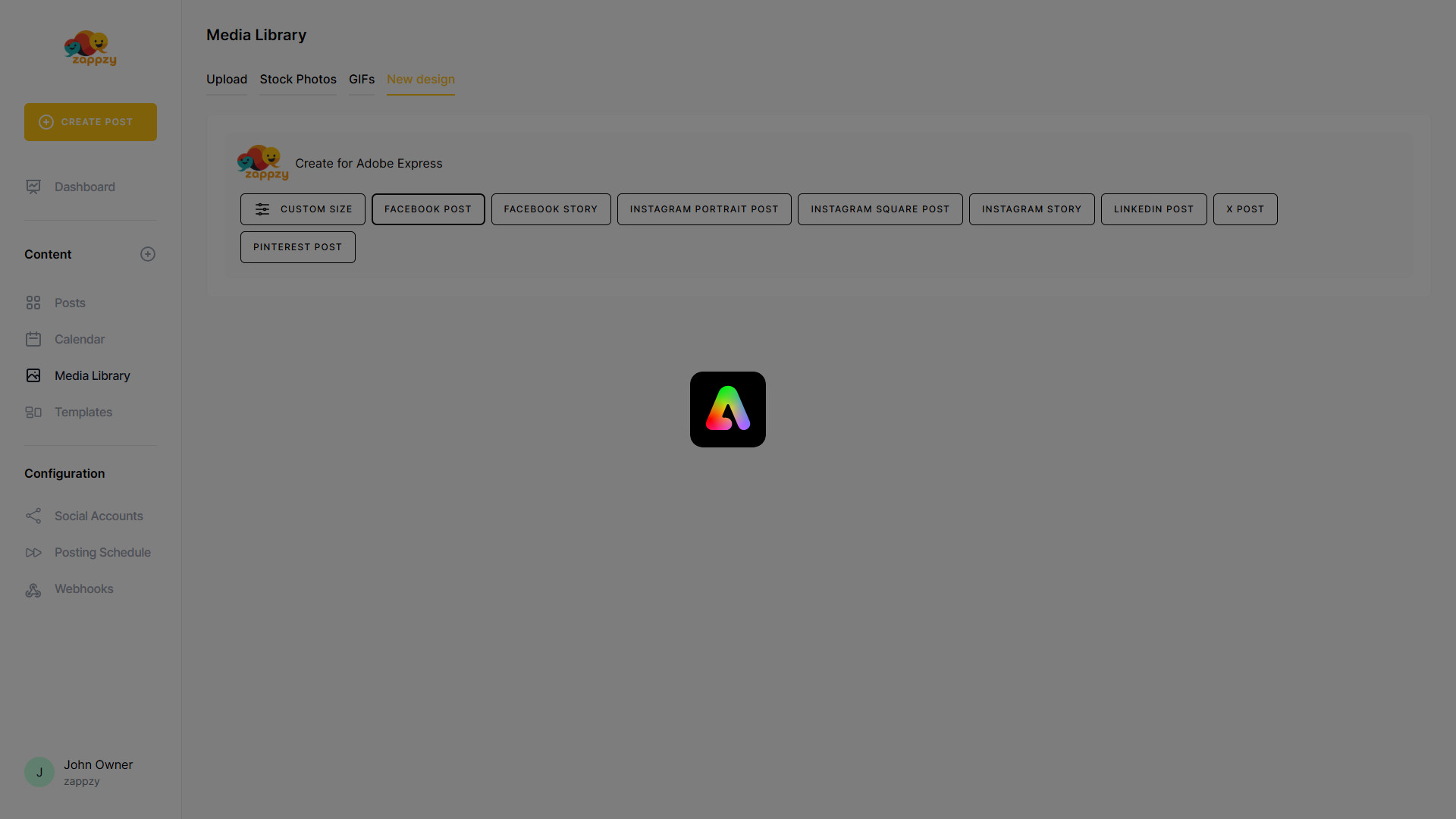
On the main screen, click New design to start designing with Adobe Express.
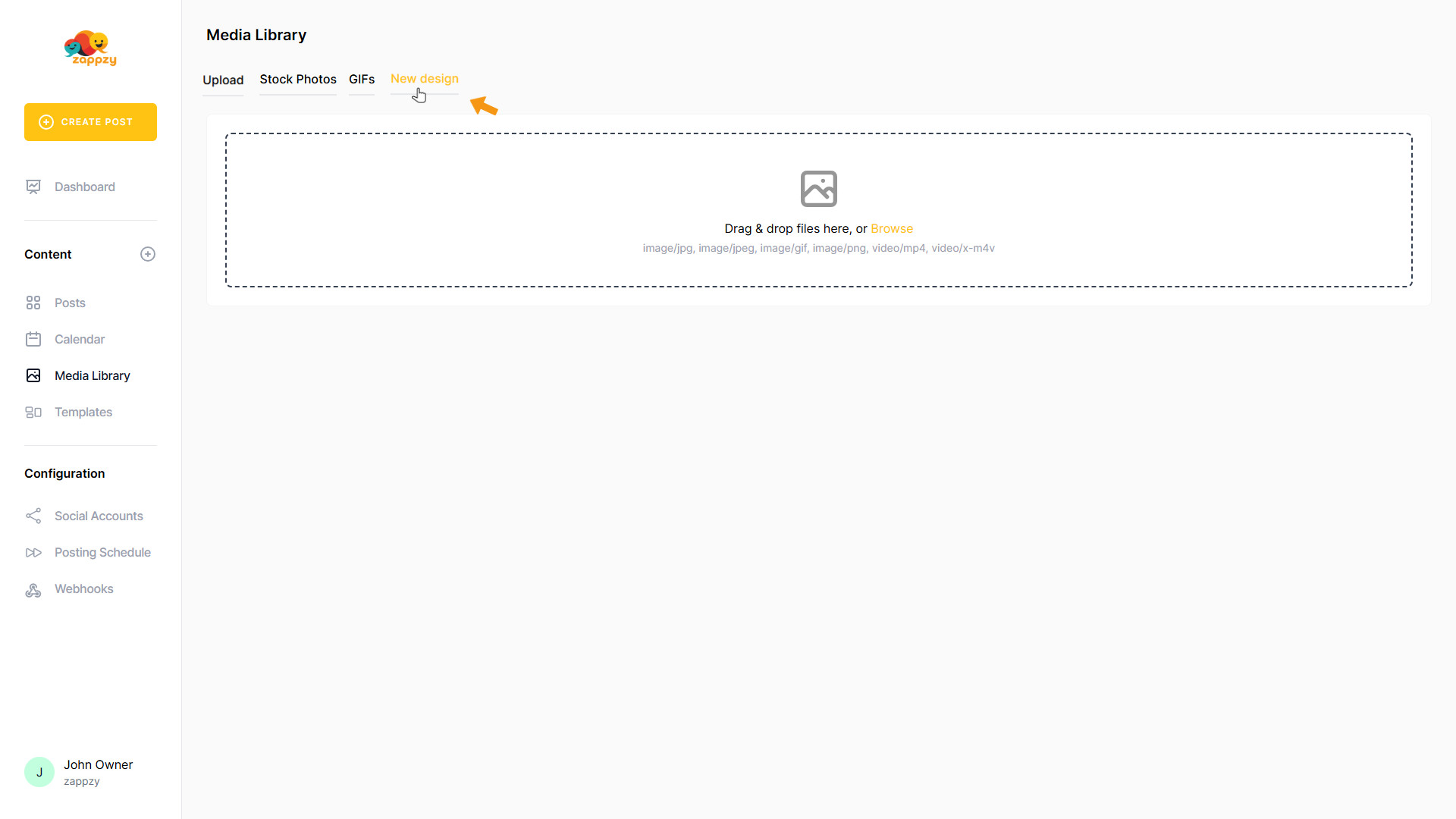
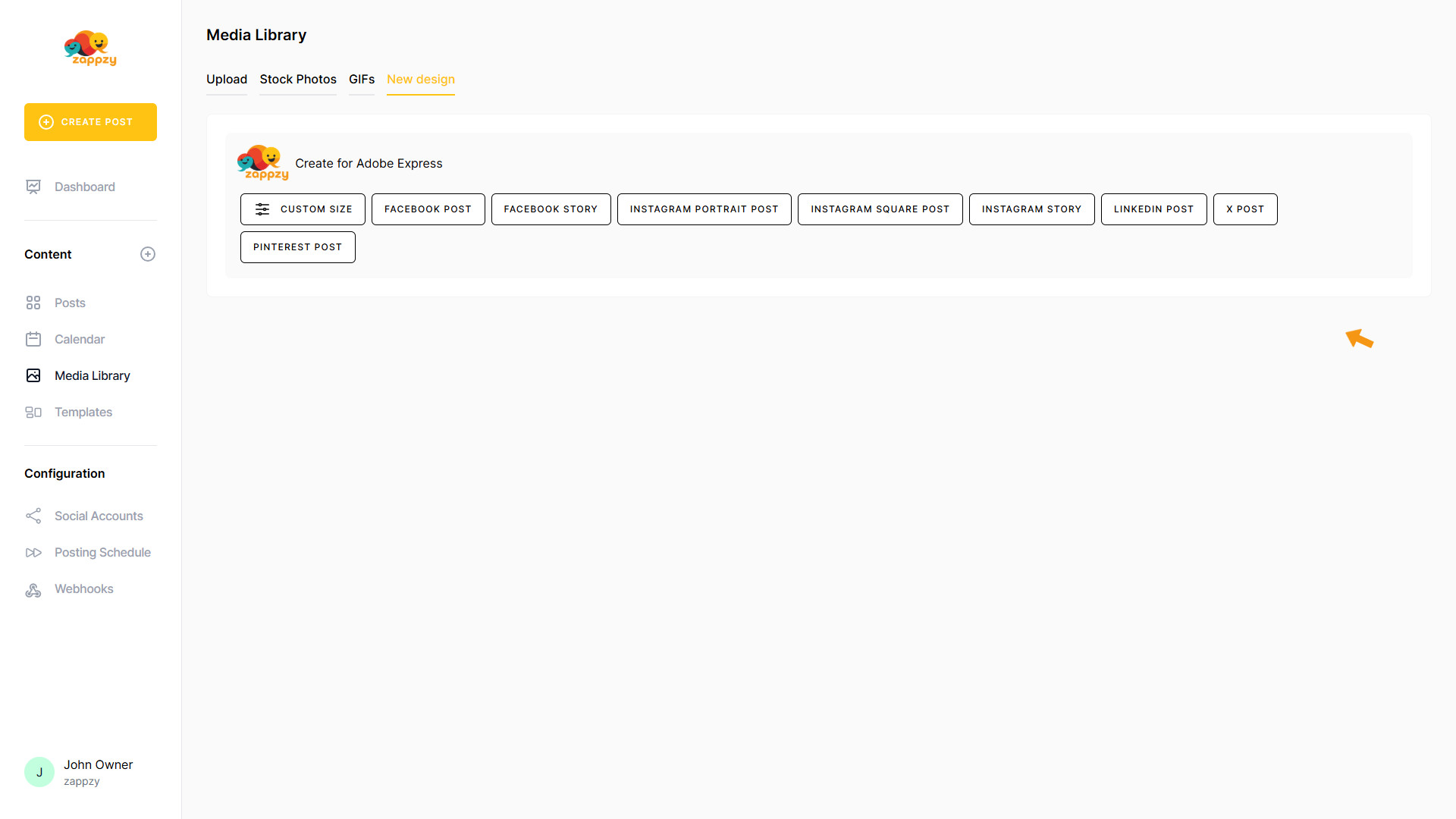
On the main screen, you’ll see preset social media format buttons—choose one to start a design for that format.
For this example, click Facebook Post.
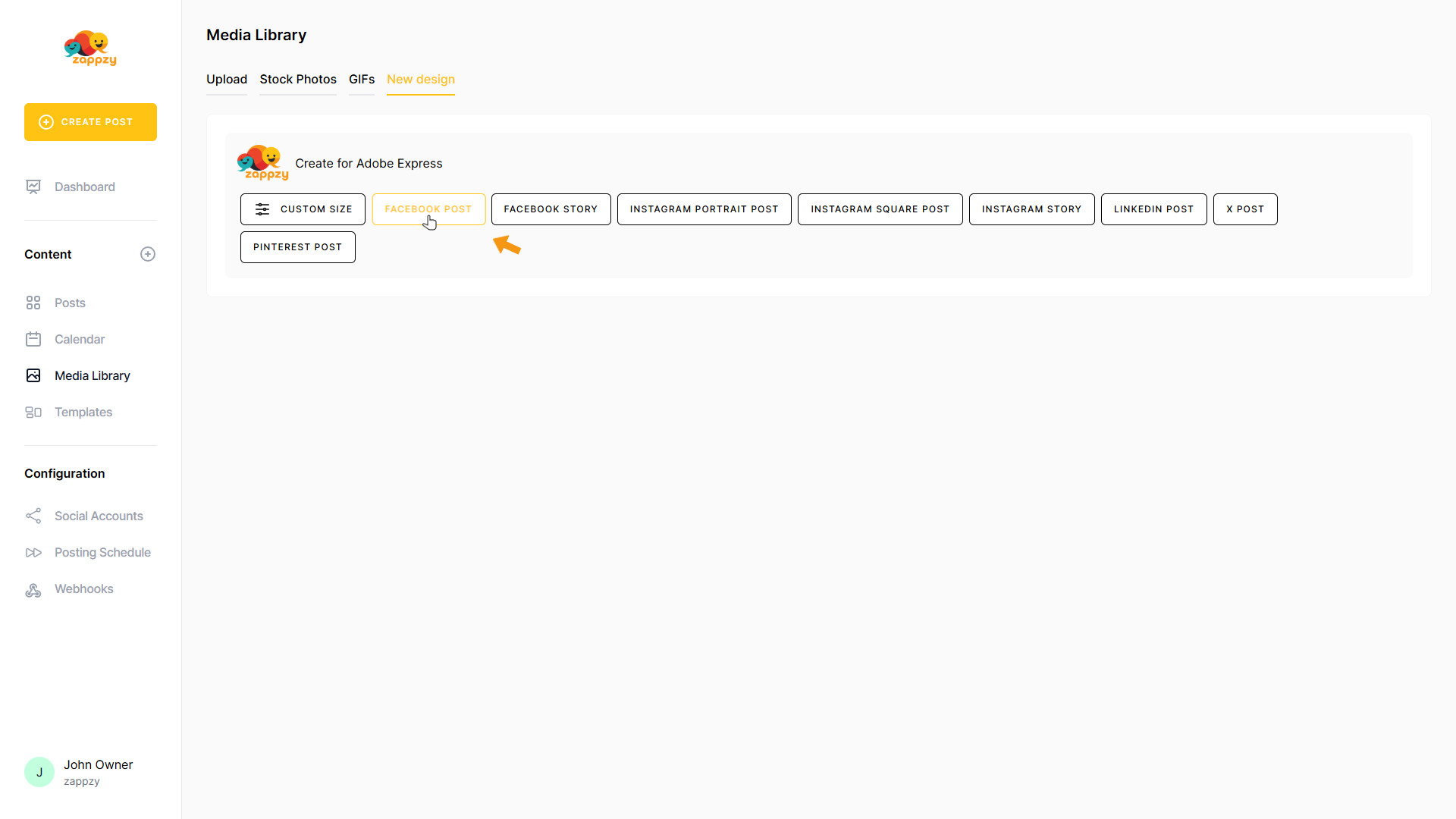
Adobe Express now opens inside zappzy.
If you’re new to Adobe Express or not signed in, a welcome pop‑up appears. Click I agree to continue.

To access all Adobe Express features, sign in by clicking the Adobe Express logo in the top-left corner.
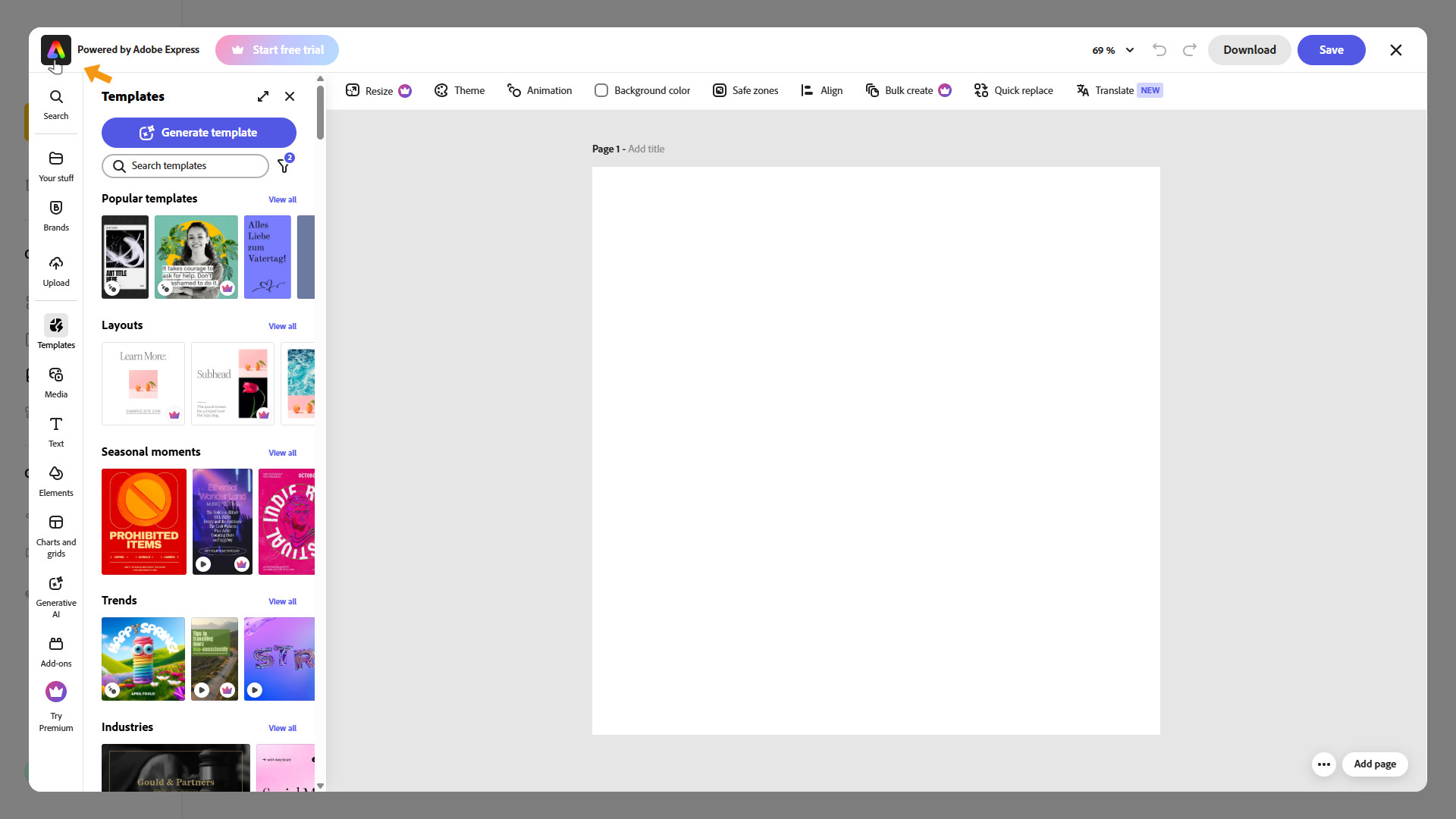
A separate browser window opens. Sign in there. If you don’t have an Adobe account yet, click Create an account and follow Adobe’s instructions. After you’ve signed in, close the extra window and switch back to zappzy.

You should now see the Adobe account avatar in the top-right corner. If not, refresh the page.

You’re all set—start designing now. We don’t cover how to use Adobe Express in this article—Adobe’s help center and excellent YouTube tutorials have you covered.
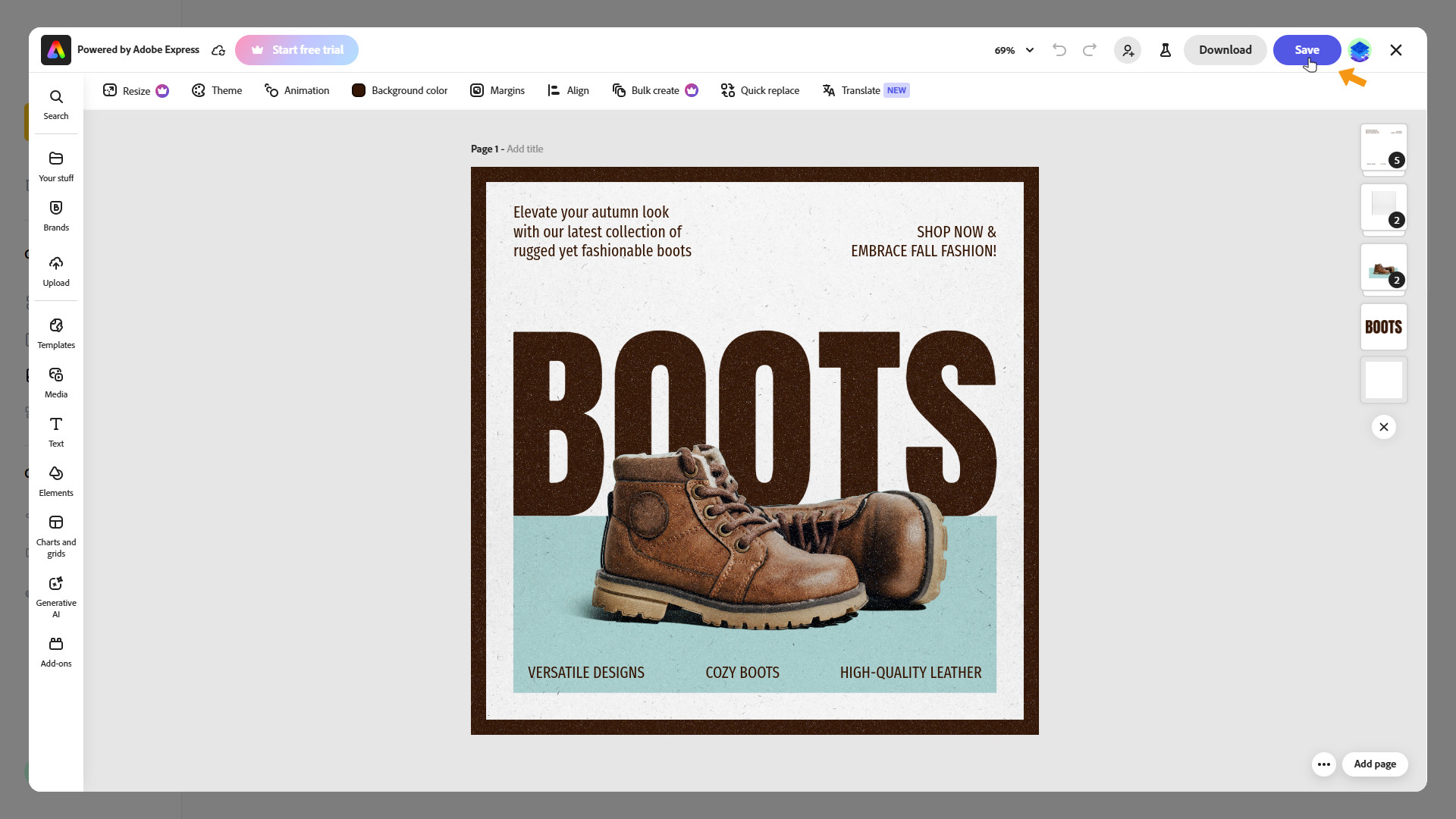
When you’re done designing, click Save in the top-right corner.
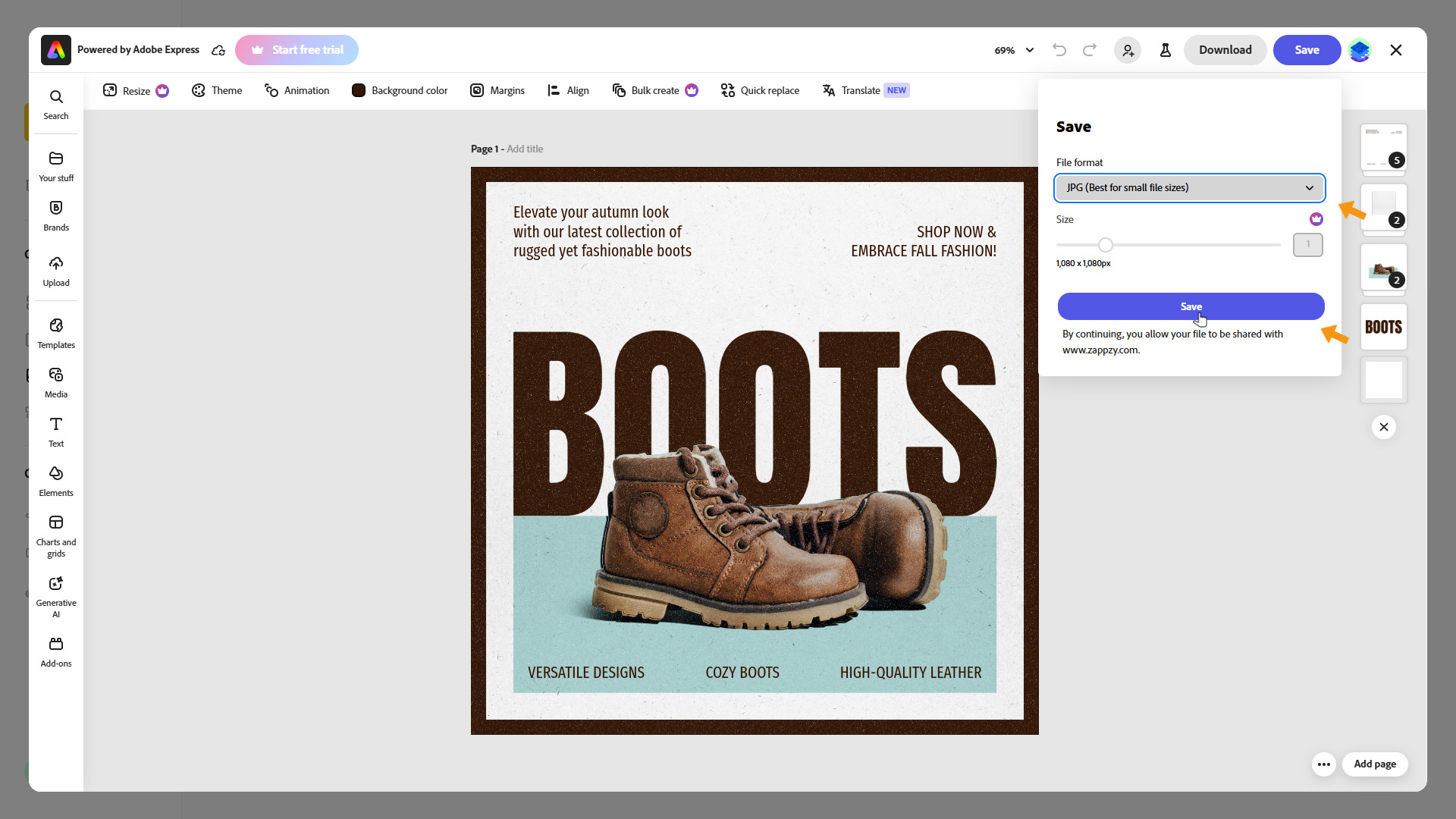
Select the format, then click the Save button.
Your design is now being saved.
Adobe Express is closing—you’re back in zappzy. Click Upload to find your design.
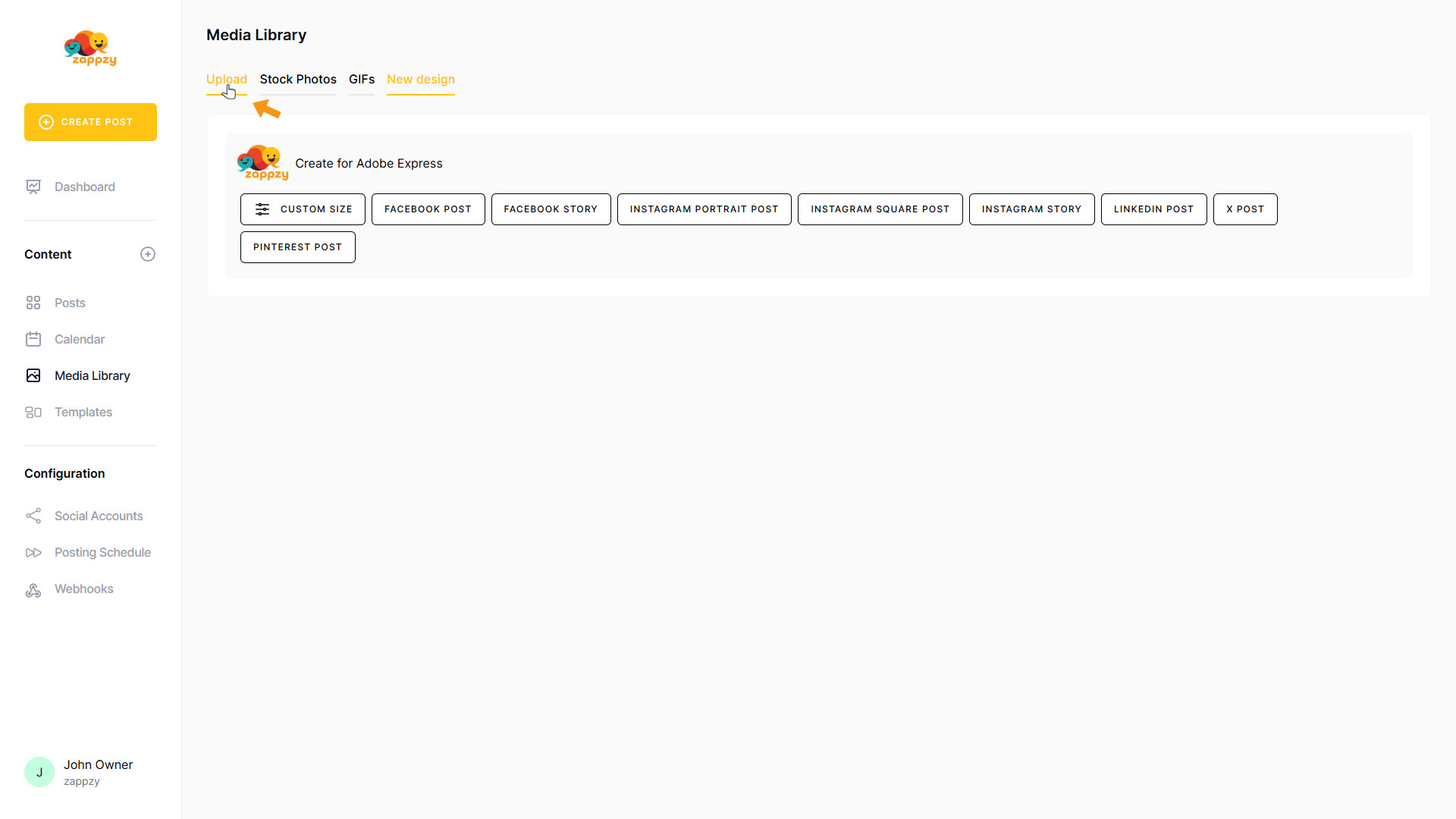
Your design has been saved to your Media Library (Upload). It’s also available in Adobe Express under Your stuff in the folder www.zappzy.com. You can now create a Facebook post with it or keep it for later.
For step-by-step guidance on creating a post, see the Create Posts articles.

If you no longer need the design, you can delete it from your Media Library (Upload). For step-by-step instructions on how to delete a design, see the article Upload: Bring in your own images and videos—reuse them across your posts.